Compliance Unfiltered is TCT’s tell-it-like-it is podcast, dedicated to making compliance suck less. It’s a fresh, raw, uncut alternative for anyone who needs honest, reliable, compliance expertise with a sprinkling of personality.
Show Notes: Shhhhh… Passwords and Their Handling

Quick Take
On this week’s episode of Compliance Unfiltered, Adam gives a masterclass in understanding the importance, history, and proper application of passwords.
Now, it goes without saying that passwords have been a THING for a minute. However, this episode provides a firm explanation of the schools of thought around passwords, and how to stay best protected in all scenarios.
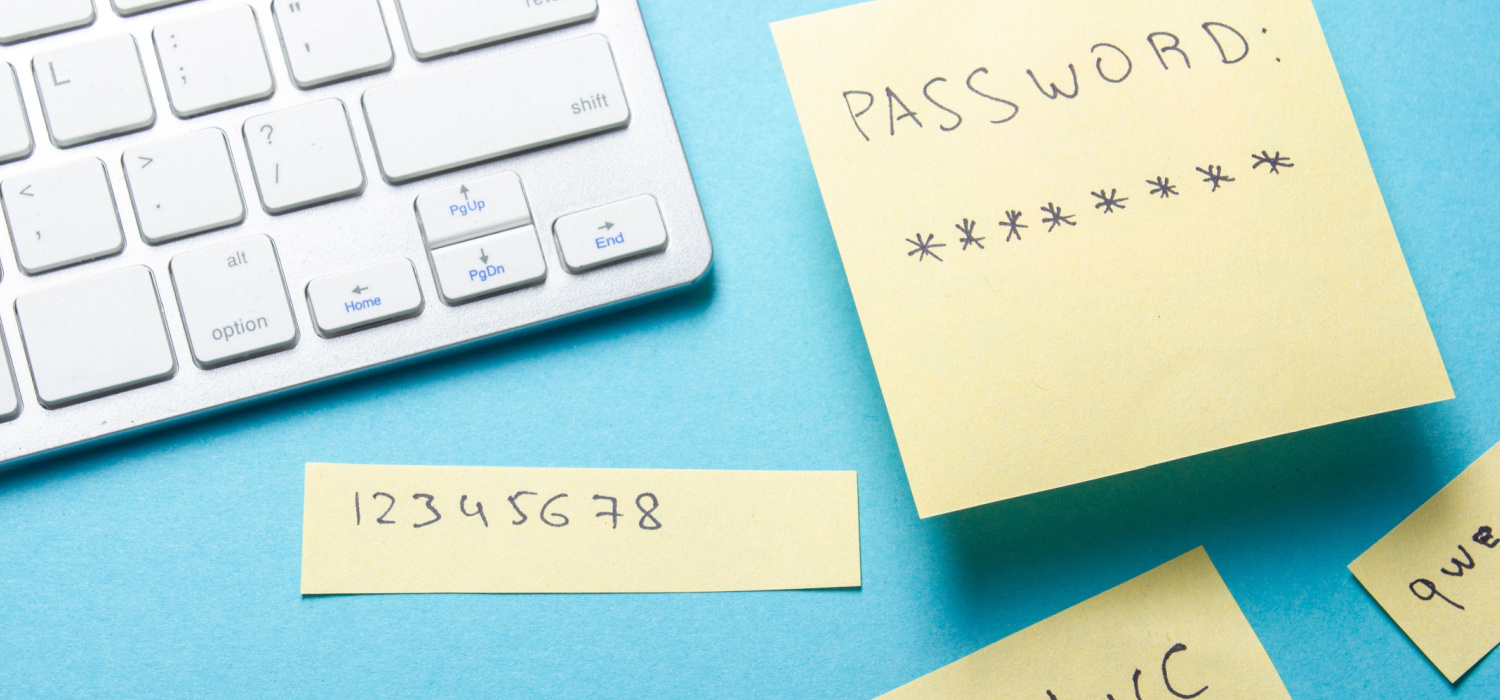
Just realizing passwords need to be longer than “1,2,3?” Don’t worry, password basics are on-deck. Want to know more about secure encrypted password storage? We’ve got you covered there too!
All this and more on this week’s episode of Compliance Unfiltered!
Follow Compliance Unfiltered on Twitter and Instagram at @compliancesucks
Read The Transcript
Welcome in to another edition of compliance unfiltered. I’m Todd Coshow alongside the man himself Compliance veteran I guess veteran is a good way to start it off today compliance veteran Adam Goslin.
How the heck are you sir?
I’m doing fantabulous. How about you, Todd?
I cannot complain, I cannot complain. Tea in hand and feeling secure.
I don’t know, something about tea kind of warms the insides, right? And speaking of security, even we’re talking today about something that exists in everyone’s world and that’s passwords and their proper handling. Now, you know, when you actually see the statistics on this stuff, it’s pretty silly Adam, but talk to us about what we need to know on passwords.
Well, I mean, the, the, the, out of the gate, you know, one of the, one of the thing that I can see, I can see the, the, the listener going, all right, passwords have been a thing for, you know, for a week or three. So why, why the hell should I listen to this?
Um, you know, bottom line, it depends on who’s, who’s listening, right? Um, you know, certainly companies that are going through security compliance, you know, things along those lines, they’re going to get some pointers and helpful reminders. Um, certainly those folks that are, you know, kind of service providers to, uh, compliant customers, um, they’ll gain some helpful information for their engagement. So if they’re consultants, uh, that go through and, uh, uh, you know, assist organizations or hosting companies that are, you know, providing, uh, security for their customers, you know, they’ll get gained some helpful information. And, you know, the, the, the kind of the, the point of this, uh, particular discussion is the assist, the, the assessors are going to gain some assistance with aspects that they may not have used in their client engagements, you know, examples and, you know, stories or whatever. I mean, it’s always helpful when you’re talking, you know, talking to somebody that, you know, has been in the space. I love talking to people that have been in the space because, you know, just, just sitting there kicking back here and war stories and, you know, and, and whatnot it’s, it’s fun. Cause it gives me ideas for things that I may not have thought of or a certain way to put it to somebody. That’s everything.
Well, yeah, and I think that that leads to the next thing here, which is essentially there’s a lot of schools of thought out there regarding passwords and a lot of competing ideas.
Oh, yeah, for sure. I mean, the funny part is, is that I mean, I’ve heard a broad range of, you know, of, of kind of schools of thoughts on, you know, passwords, you know, you’ve got, you know, something like, you know, PCI rigor, as it relates to passwords. I mean, if you go through and you look through all of the, you know, requirements of PCI, you know, they’ve got some very specific elements. And, you know, a lot of people, oh, you know, hey, when I go in and I set up, you know, set up a user, then, you know, I need to, you know, I need to do these things. And a lot of people think, oh, how hard can it be to set up the user and, you know, with them a password and if you’re done, you know, and if you’re using something like PCI, that’s very, you know, very specific.
There’s a lot of various and sundry, you know, line items of things that you need to make sure you have in place. Now, you know, kind of another, another realm, which I’ve gotten into some entertaining conversations with some of these folks, is they’re kind of at the other end of the spectrum. You know, why the hell do we even need passwords? You know, I just, you know, changing, every time you change, if I make them change their passwords so often, well, then they’re going to need to go write it down and writing it down increases the risk to the company. And if we just implemented, you know, multi-factor authentication, then, you know, then you’re off and running. And so they’ve got this notion that, you know, the whole notion of passwords and being forced to change them and whatnot, it’s actually a bad thing because it, you know, decreases security. The reality is, is that somewhere between these two lies a nice measured balance, you know, the, you know, you’ve got to, you’ve got to kind of take the best, the best parts of, you know, each of the schools of thought and, you know, kind of strike that balance and or, you know, the company may be, you know, may be required to do certain things. So people subject to PCI, if they want to get PCI compliant, well, guess what? You’re doing the whole and sundry list of things that you need to do.
Well, I mean, I have makes sense, right. So so I guess a great place to start is at the beginning. What are some of the user password basics that we need to know
Yeah. So, um, and I’m not going to go into any measure of depth on these. I’m coming to the guiding assumption that most of the folks that are listening are, you know, got it. So forgive me, bear with me.
I’ll just going to get through the list and, you know, and whatnot. But, um, so some of the basics, um, everybody gets their own ID, um, you know, you’re controlling ads, removes and changes, um, you know, to two users. And especially when you’re doing, um, when you’re doing role changes, uh, you know, for folks, uh, you know, just making sure that, you know, that you’re, you’re configuring them in accordance with your role-based access control, uh, you know, uh, removal of terminated users, uh, you know, scanning for any stale user accounts that haven’t been used in a certain period of time, uh, making sure that your vendors are only getting access as needed and that they’re monitored, uh, limited failed login. So, you know, every time they log in with a bad password, there’s a limit to how many times they can do that and then addressing, well, if they exceed that limit, then, you know, what’s the, you know, what’s the lockout process look like, um, you know, session idle times, making sure that they, you know, once they’ve gone in and gotten authenticated, that they, you know, they’ve got a limit of how long they can just sit there with a, with an idle session, um, making sure you’re using passwords with multi-factor authentication for authentication, um, you know, secure password storage, secure password transmission, uh, enforcing password length and complexity.
Uh, how often do they need to change their passwords? Uh, you can’t have any of the same as your last X passwords and making sure that your first time password resets, um, are done in such a way that it forces that user to go in and you’re going to change their, uh, change their password. Um, you know, when they go into, to authenticate for that initial time. Sure.
I guess logically that leads to the next question. I mean, tell me more about secured encrypted password stores.
Sure. So, you know, and this is not, you know, from this perspective, the way I’m going to answer it is really talking about the users and how they, you know, how they would store, you know, kind of store their passwords, I’m going into the guiding assumption that any of the core authentication, you know, technologies are already have, you know, stored and stored and encrypted on their systems appropriately. But the one thing that, you know, it, you know, contains more variability is what the hell is the user doing with, you know, with their passwords. So, you know, making sure that, you know, either the users are leveraging some form of a personal password management systems, you know, for their own passwords, which, quite frankly, they should be doing period, you know, regardless of the fact that you’re working at a company that makes you, you know, secure, you know, whatever, you know, securely store your passwords.
You know, think about, I mean, your personal life, you’ve got, you know, logins to your banking system and your Google accounts and, you know, and then, you know, so there’s a, there’s a certain, you know, certain way that they, they should be doing it. In the business setting, you know, there’s, there’s more possibilities, if you will. Certainly, you know, each user could have their own kind of secure repository, you know, or in some cases companies will leverage some type of a password management system so that the users can, you know, go put their passwords into there. You know, the nice part about these password management systems is that it allows the user to not, number one, not need to remember every single password. They can put it someplace that’s company approved, you know, it’s out of rust. So, you know, so it’s good if you’ve got a corporate system, then you can set it up with appropriate permissions and whatnot, you know, some of the, some of the advantages of using that kind of corporate, you know, corporate password management system is that if there’s turnover within the organization, you know, some limited group of appropriate, you know, administrators would then have the ability to go in, you know, get a, you know, get a log of all that users passwords, etc.
You know, sometimes I’ve seen, you know, issues or challenges in an org, especially with things like service accounts, an account that’s running on a particular system that, you know, that is performing kind of back end or behind the scenes functions. Well, you know, whatever if, you know, Mary set this thing up eight years ago, nobody’s had to, you know, go and go and jank with it since, you know, well, now you’ve got, you know, now you know what that thing’s set to if you need to go somewhere else. Now, now I can go in and do something with it and or change it readily with, you know, with some measure of assurance. You know, the other the other piece is the, you know, it facilitates, you know, kind of a specific list of items for when passwords need to be modified periodically for a variety of reason.
You know, there’s there’s now some type of a list of hey, if we have this type of a user that has, you know, turned over within the organization. Now I feel now I know what all, you know, what all systems do I need to go hit what all passwords.
Am I going to need to get modified things on those lines. So it kind of also becomes a kind of a cheat sheet, if you will, for for being able to to go in and fact those password changes under those circumstances.
But I mean, not to lay up like a captain obvious question here, right, but tell me, tell the listener, right, some of the real world examples from risk assessment findings of what you shouldn’t do when it comes to passwords.
Oh, well, okay. I think it comes to the top of my, I saw this, I saw this the other day. I was, I was seeing a, um, it was a, it was a Snoop Dogg interview. I forget who was doing it with Kim or so anyway.
Um, and it was like, it was this, this, uh, thing where, where he would ask like three oddball questions, one of which was, how do you remember your passwords since Snoop Dogg’s like, uh, he’s like, tell him, tell him a nieces. And, uh, and the, uh, and the interviewer, the interviewer was like, oh, so like, what, you can somehow move things with your mind and below a bar. It’s like, every time I need to remember a password, he says, I, I, I, I, I, I tell my nieces and that way if I ever forget, then I can go and, you know, ask them. don’t share your passwords with other people. Um, you know, don’t, some of this stuff is dumb, but I got to tell you, you got to remember this is real world. So when I’ve gone in and done risk assessments for organizations, this is all stuff that I, you know, that I dripped across. So don’t write down a piece of paper.
So I found sticky notes under a mouse pad, sticky notes inside of the drawer. Oh, this one dude, he, uh, you know, I said, I just started to ask, where do you, where do you, how do you store your passwords? And he opens the drawer and on the, on the inside of the drawer facing me that I can see this like stack of sticky notes was stuck on the inside of the file drawer. It’s got every F and password is just sitting there, you know, sticky noted there, it’s like, and nobody had ever find that, um, you know, I’ve seen people go use like a straight text file that they stuck, uh, you know, that they, that they stuck somewhere on their, you know, on their, uh, file server. Um, but it was, it, it was in an area that other people shouldn’t be able to see, but it was, you know, it was stored in a text file unencrypted. I’ve seen, um, them put it into, you know, they, this one lady had a notepad that she stuck in, you know, stuck in like the paper files in her drawer. She had one particular file folder, which was a book that she’d put in there. And that’s where she’d go write down her passwords. Um, I had, uh, I had an, I also had an accounting department, um, that, uh, they were, uh, that they were going in and, uh, they were storing the password passwords they needed into Excel and put a, but they had password protection on the Excel file. So that made it good.
So it’s like, you know, please no use a secure, either remember it or secure storage, um, we talk about, uh, you know, the, the not sharing of, of passwords is important, um, yeah. And I’ve seen all sorts of different, um, you know, kind of approaches, uh, by different teams. So in one case that, uh, I had a, um, there was an IT, uh, IT group, like group of people, I’m talking about like 20, 25 different people. So what they, you know, they said, well, these are the passwords that we need. So they, you know, stuck it onto a, a file share, um, that ostensibly only they had access to type of things. So like, don’t put it into clear in a freaking, you know, secure file share.
That’s not good either. Um, you know, I had, uh, I had one in one guy at a, at an organization, he was having to answer some tough questions because, um, you know, there was a, there was a, an incident and an investigation that needed to, needed to take place. And his account was being leveraged, uh, nefariously. Um, but the reason why this guy was getting grilled, well, he’d shared his password with somebody else and that person was busy masquerading as him on the network, um, you know, and whatnot. So the, the, the guy that had done the password sharing was having to come in and trying to answer questions and prove out it wasn’t him and, you know, blah, blah, blah, blah, blah. So yeah, it was, uh, that was entertaining.
Um, to say the least. Yeah. Well, and the one thing that folks need to remember is that, you know, when you’re, you know, if you, if in some way, shape or form, any way, shape or form, you expose your password to someone else, you know, someone else, then if they get ahold of those credentials, even if, and this doesn’t even have anything of password sharing, but you know, they’re not locking your machine or PC when you, when you walk away from it, right? If somebody want to get, get your creds or sits on your machine and has access, they’re doing it under your name. So if anything goes sideways, anything goes wrong. They’re doing something they shouldn’t be. They go to, you know, here’s another example. Why I just remembered this. Um, you know, there was a, there was a lady that was getting, um, she was basically getting grilled because her account, uh, was showing up in the log as trying to get into sensitive HR docs, uh, within the organization. And meanwhile, you know, again, it was a, it was a password sharing thing. It wasn’t even her, you know, but that’s some, that’s, that’s not a fun conversation. So, you know, just don’t share it with other people and guess what? It doesn’t become a potential issue.
Well, share with us some additional pro tips that you might have regarding passwords that might not be as obvious as don’t share yours with somebody else.
Sure. So, and this is going to come in various degrees and forms, but when you’re using a password management system, the nice part is that you’ve got the ability to generate a different password for every single thing that you do. So like in my case, and I’ve been using a password management system at this point in the game, it’s still over a decade, but in my case, every single account that I’ve got is a different password, completely different. And I don’t even know what that password is, right?
If worst comes to worst and I got to go in and reset everything, well, then hey, guess what? I got a job on my hands and off I go, right? But I don’t know the passwords to the various things that I need to go and get into, and that’s why I’ve got the password management system. So I’ve got two different repositories. I’ve got one for work and one for home, that type of thing. I mean, one of them has like 300 different passwords. Another one has about 750 different passwords, but you start thinking about all of the various things that have to go log into and authenticate into and whatnot. There are a lot when you kind of sum it all up. And the biggest problem and the biggest benefit of making sure every single one is different is if you just sit back and think about the number of systems that you’ve ever made an account for. I use one good example. One of my kids, there was a phase where Zebra pattern was the thing. And so sure as nuts, we’re looking all around for redecorating the room and we go to zebralamps.com or whatever. And so I got to go set an account up on zebralamps.com. Well, what do you think the relative security of zebralamps.com is, right? And so if I went into zebra lamps and I use the same password or a password, a lot of people will use a kind of a pattern, right? Maybe it’s like the name of the org underscore the same three digits underscore, you know, exclamation type of thing. And they’re like, oh, yeah, whatever. Nobody’s thinking about it from the perspective of somebody guessing it. And it may be very complex to guess, but if zebralamps.com gets hacked and now I see the pattern, guess what? They’re immediately going after the bank and, you know, and so, you know, that’s one of the probably the biggest benefits of having those different passwords everywhere.
You know, I had, you know, the other the other area, you know, that a lot of folks don’t think about is the password length, right?
I was waiting for this topic.
You know, you get into some of these sites, right? And they’re like, oh, what? Or yeah, I actually get cheesed off when they say your password must be between eight and 16 characters. You know, I’m like, why? Why the frick be limited to 16? I had one provider, you know, basically asked me, I needed to go get a, you know, go get a password set. And they asked me, you know, you know, how long did I attend for this password to be? And I kind of chuckled. And I said to them, I said, well, how long can it be? Can I have a two character password? And they started laughing because they’d never heard the question before and they didn’t know. And so I said, since they, you know, since they didn’t care, you know, then sure, I went ahead and I generated a 200 character string of barf than, you know, and, you know, and blah, because if you, you know, if you look at it this way, whether it’s 16 characters or 200 characters, when you’re using that password management system, it’s copy-based.
So, you know, you don’t have to worry as much about that, you know, kind of that length arena. You know, the one thing that I’ll hear from, you know, that I’ll hear from folks is, oh my God, I’ve got this, whatever password pattern and I’ve used it for the last 10 years and la, la, la, no, my world’s going to go upside down if I’ve got to go use this newfangled password management system. And I’m like, you’ve got to keep in mind that, you know, going and making this change, it does take some adjustments. I had one guy that begrudgingly, I mean, begrudgingly, he was the head of IT for, you know, for a particular organization. This guy had passwords to everything under the sun at this company. And I’m like, look, you are a massive risk to this organization with the way that you do in your passwords. I’m like, do me a favor, give it a shot, try to use this password management system, et cetera. And I’ll be damned if the guy calls me maybe, I don’t know, two weeks later, he’s like, I got to tell you, Adam, I effing hate you. This is miserable. This sucks. I can’t, he’s just going on and on and on, right? I’m like, dude, I understand, please trust me, your world will get better. It’s going to be okay. You know, and I’m like, you know, giving him like, you know, password counseling or whatever on the phone, right? And, you know, no joke, six months later or so, he comes slinking back to me and he basically says, you know what? He’s like, thank you very much for getting me to make this modification in retrospect. I realize how much more secure my stuff is. And the funnier part is, is that I found it’s actually easier than what I was doing because, you know, sometimes I couldn’t remember which pattern I use for this system. And so I had to keep trying and trying not to get locked out of the systems and blah. He’s like, this has actually made things substantially easier. Gave him a high five and off we go. But, you know, the bottom line is, is that, you know, when you’ve got this password management system, it does take some adjustments kind of as you go through.
So yeah, you got to go and go back and use the password management system to go get your current password, to go log in on whatever, you know, whatever device it is that you’re, you know, that you’re about to go log into. Um, another area, um, is that, and this is something that a lot of folks, not many folks really leverage all that much, but in most of the password management systems, they will allow you to have a section for notes with each password. And so what I do is I use that note section, um, to configure unique responses to the security questions. So if you think about it, if I go to three or four different systems were on every single one, it’s asking me, what’s the middle name of my favorite cousin? Then every single time I say Heather, um, you know, then guess what? You know, now I’ve got one of the password recovery, you know, elements again is similar across a multitude of systems.
And so one of those gets hacked. Well, now they know that the middle name, you know, the middle name of my favorite cousin happens to be Heather. And if they’re getting onto another system that asks the same question, well, what do you think that’s going to get set to? You know, the bottom line is, is I’ll go, I’ll go in and I’ll basically write down which security question did I answer? And then I’ll just make up some stuff. So, uh, maybe for the one side, I’ll put an exclamation point, you know, green dot five boat, you know, and, and, and save it into my password management system and set that as my recovery. Um, you know, and so that way I can even get to the point where my security question responses are different across systems. Cause you know, you think about a lot of those, um, you know, a lot of those, uh, hacks that were happening back in the day with like, it’s, it’s celebrities and they’re, you know, kind of Apple accounts and things along those lines. That was the way that, uh, you know, a lot of those, uh, attacks were being executed was they were, you know, basically backdooring into the, you know, into the users, you know, users arena. Um, so, you know, password systems change, you know, change over time. The options that I had a decade ago are different than the options that you’ve got now. So, you know, and, and there’s also some philosophical differences between them too. So in one case, um, you know, on the one side, some folks like the fact that I don’t have my password stored in the cloud. It’s some type of a local storage repository, uh, you know, it sat around and, you know, for those people that would rather do that, you know, their, their, their philosophy is, you know, no matter what the vendor says about how secure they are and how they can never get attacked or hacked or breached or blah, you know, it just removes that risk of the, you know, the vendor or some, you know, bad actor having access to those passwords on the other side of the fence.
Those that kind of have faith in those vendors, they can use systems like OnePass or LastPass or some plethora of them out there too. But because this environment changes so frequently, my recommendation to folks is first off, kind of think through your risk tolerance. Do I, am I gonna put faith in these vendors or am I not? Which will drive you to, I either want a local password storage system or I’m gonna use a internet-based password storage system.
And then go and do some research from some type of a, we’ll call it a mainline source. So I don’t know, these days CNET is an organization that does a lot of discovery and reviews and what are the top rated blah, blah, blahs out there, that type of thing. So go to something which is a true independent source like a CNET and then go through and read it through, make the column, which is the tool of choice, et cetera. When you use that local option, the one thing that users need to keep in mind is that the one thing that users need to keep in mind is that they have to be cautious about making sure they back up that repository. Now, really, is it the world coming off its axis? If you happen to, your password management system goes poof, no, but it’s gonna be astronomically painful for a little while, recoverable. But you might as well go ahead, take that repository, make sure that you’re, because remember, this is an encrypted vault. So I can go and I can put it out on, put a copy out on a Dropbox or something, or I can back it up to a USB, whatever the choice is for that user or whatever, if they’re got a Mac, they got a time machine, whatever it may be. So just make sure you actually have it backed up.
For the online side, it means better availability for your access to passwords. And even depending on the platform of choice, accessibility through mobile devices. So if you’re on your phone or on your iPad, whatever, now you can use that kind of online capability for the password management so that you can kind of get into things on your various devices.
Because in my case, because of the choice I made, that I only have it on my machine and I’m not using some internet-based blah, if when I have to go and reauthenticate or I will initially authenticate, yeah, I’ve got to go in and copy the long freaking scrambled, mumbled, jumbled mess, but that’s the choice I made. Different people make different choices. The reality is that, the problem is, is that if one of those online repositories, I can see two potential scenarios there for issue. And one is if they have some type of security issue, then you could have a really big problem on your hands, depending on what the nature of the breach was. If it actually granted access to your passwords, then that’s worst case scenario. But even still think about it. I mean, how often have we had, whatever, fill in the blank ginormous cloud provider is having an outage and, my Spotify is not working. Well, guess what? If they have a big, huge internet outage, et cetera, now you can’t get to your passwords. Well, now what? I don’t know, man, there’s pluses and minuses to all of this arena.
Well, I mean, yeah, I gotta be honest, I we covered way more ground on some simple things when it comes to password handling that I ever thought we were going to. So I mean, this was super informative.
Cool. And hopefully the listeners got something out of this or they all learn something new or a new fun story that they can use in their security awareness training, you know, ways to make the passwords relatable to, you know, whether it’s their, whether it’s their family, their personnel or their customers.
I just hope it was helpful.
Yeah, that’s the good stuff.
So let’s face it, managing compliance sucks. It’s complicated, it’s so hard to keep organized, and it requires a ton of expertise in order to survive the entire process.
Welcome to Compliance Unfiltered, a podcast dedicated to making compliance suck less. Now, here’s your host, Todd Coshow, with Adam Goslin.
Well, that’s all the time we have for this episode of Compliance Unfiltered. I’m Todd Coshow.
And I’m Adam Goslin, hope we help to get you fired up to make your compliance suck less.